Static ARP for Microsoft NLB Multicast on HPE Aruba ArubaOS-Switch
How to stop Microsoft NLB multicast traffic flooding on HPE Aruba ArubaOS-Switch using ip arp-mcast-replies and IGMP, with equivalent Cisco commands for reference.
Microsoft NLB in multicast mode causes switches to flood traffic to all ports because the multicast MAC address is never seen as a source — the switch cannot learn which port the cluster is on and treats it as an unknown destination.
HPE Aruba ArubaOS-Switch does not have a direct static MAC/ARP entry feature like Cisco, but ip arp-mcast-replies combined with IGMP resolves the flooding.
HPE Aruba solution #
ip arp-mcast-repliesEnable IGMP on the NLB client VLAN, and ensure NLB is set to multicast cluster operation mode:
vlan 10
  name "Client VLAN"
  ip igmp
exit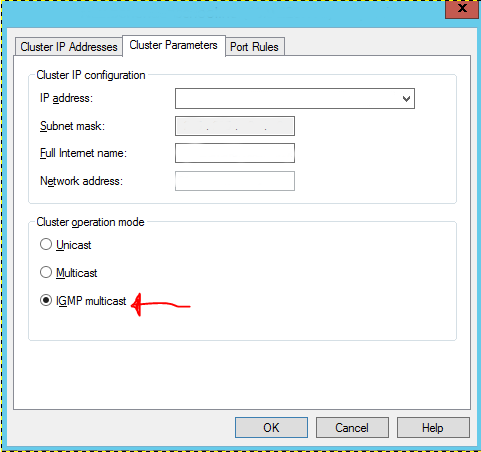
Apply on all switches in the campus, not just the directly connected switch.
Cisco equivalent (for reference) #
arp x.x.x.x 0000.0000.0000 arpa
mac-address-table static 0000.0000.0000 vlan x interface Gix/x/x