RADIUS Login Authentication on HPE Aruba ArubaOS-Switch
How to configure RADIUS authentication for switch management login on HPE Aruba ArubaOS-Switch using Microsoft NPS, with full NPS policy screenshots.
How to configure RADIUS authentication for switch management logins on HPE Aruba ArubaOS-Switch using Microsoft NPS, allowing administrators to log in with Active Directory credentials.
Switch configuration #
radius-server host 192.168.50.80 key reallysecretkey

aaa authentication login privilege-mode
aaa authentication console login radius local
aaa authentication console enable radius local
aaa authentication telnet login radius local
aaa authentication telnet enable radius local
aaa authentication web login radius local
aaa authentication web enable radius local
aaa authentication ssh login radius local
aaa authentication ssh enable radius local
The local fallback ensures you can still log in if the RADIUS server is unreachable. Do not remove it.
Fix the RADIUS source IP if needed #
ip source-interface radius 1.2.3.4Microsoft NPS configuration #
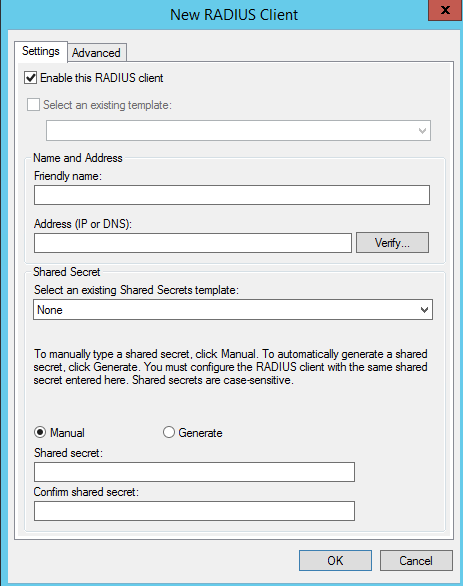
Create an AD security group (e.g. NetworkAdmins) and add your switch administrators. Add each switch as a RADIUS client using the SW- prefix convention.
Connection request policy #
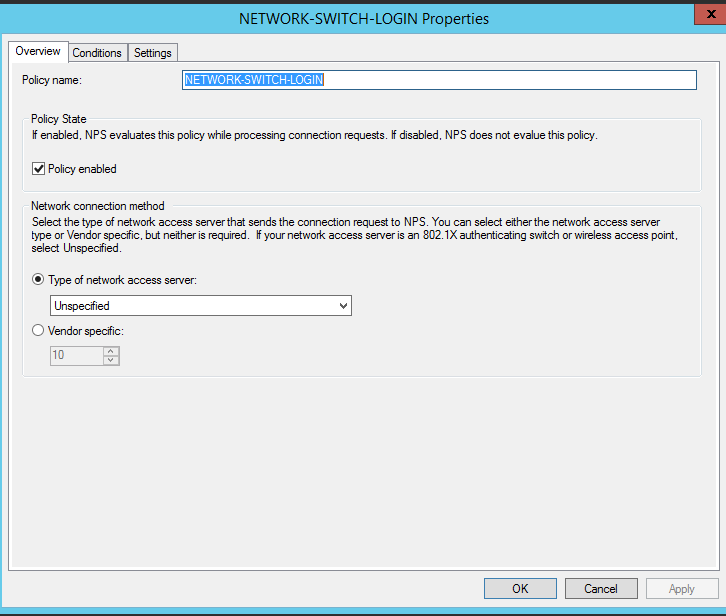
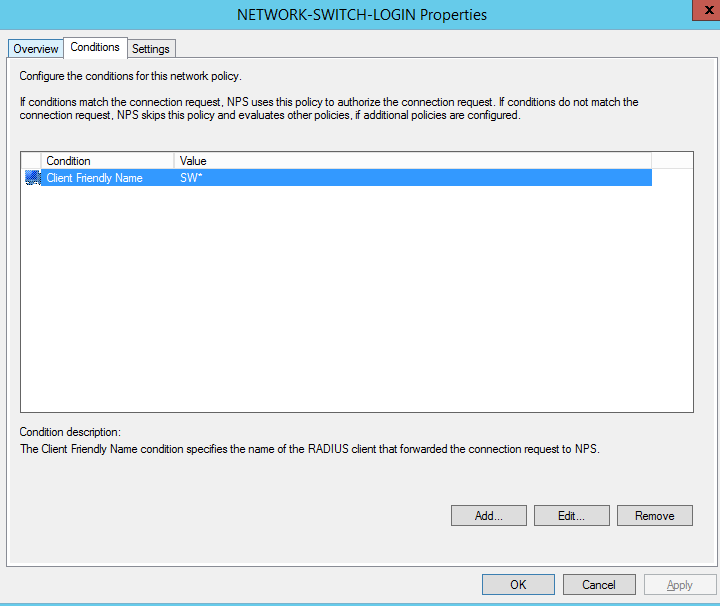
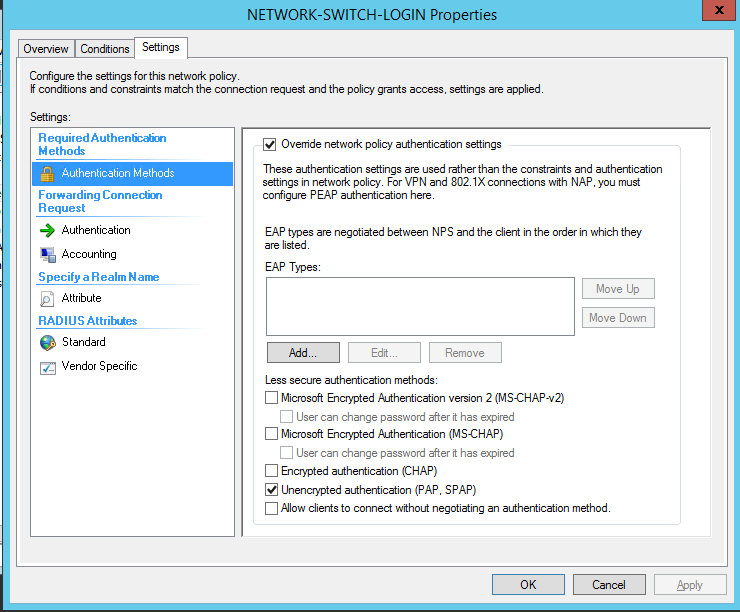
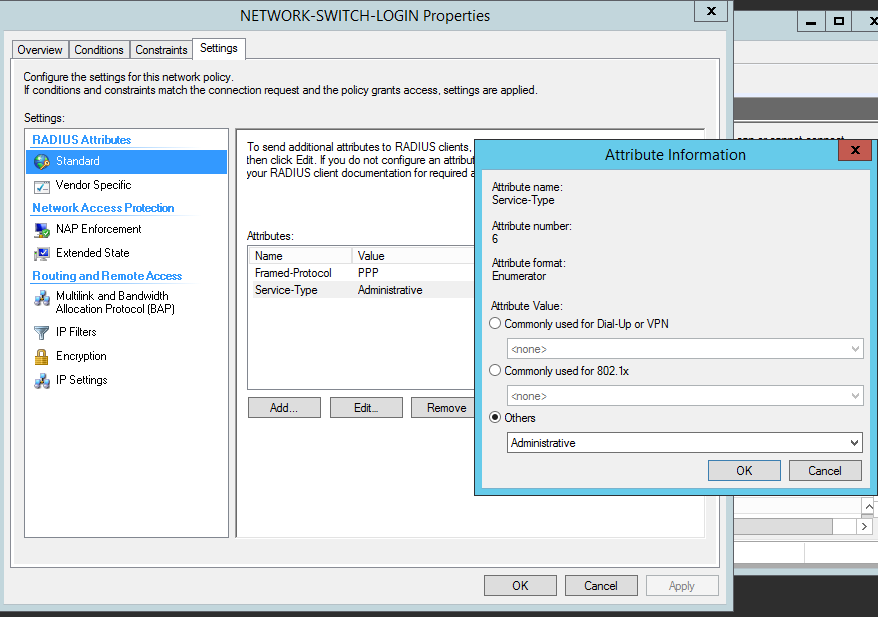
Network policy #
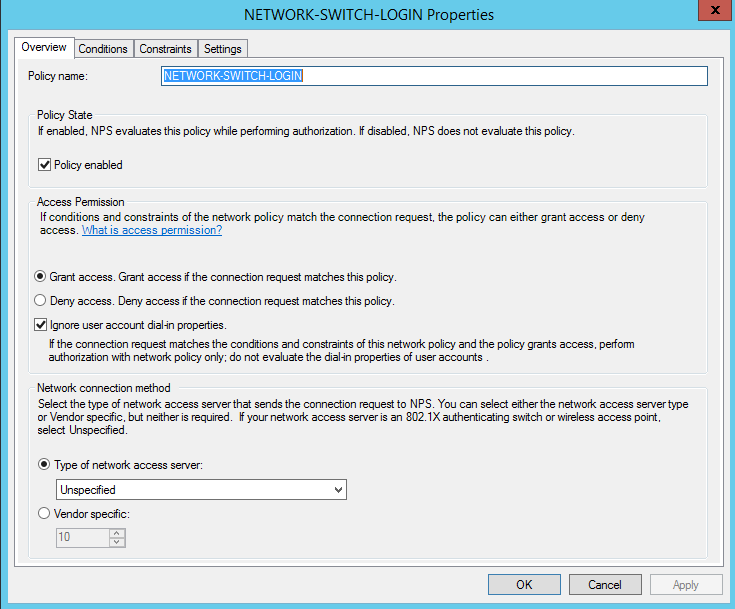
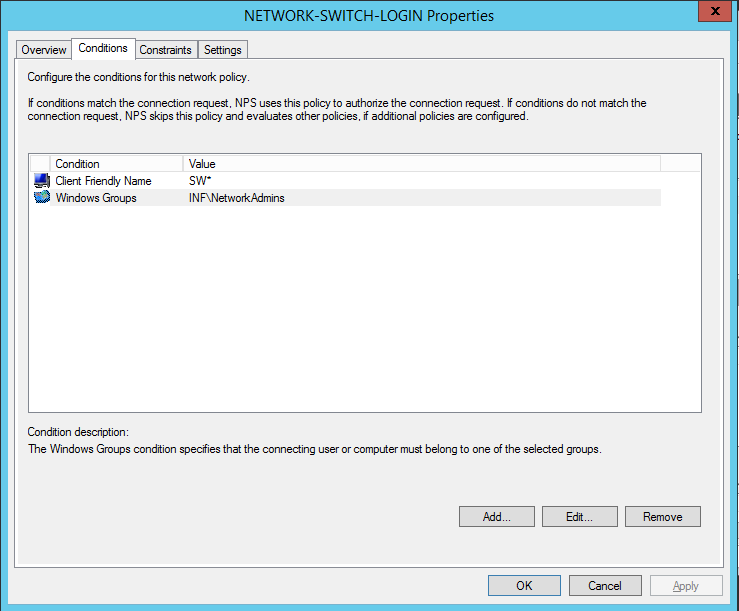
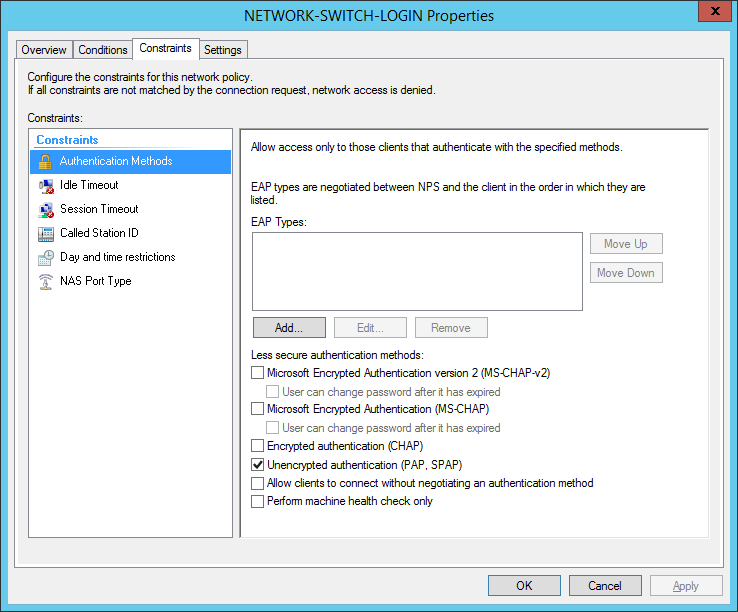
Return the vendor-specific attribute to grant privilege-level access: